Introduction
Kairos detects Bible verses from a live sermon and sends them to your broadcast as broadcast-ready overlays.
Kairos is a desktop app for live church production. It listens to a sermon as it's preached, recognizes every scripture reference your pastor cites, whether named outright or quoted in passing, and sends the verse to your live broadcast as a broadcast-ready overlay, in under a second.
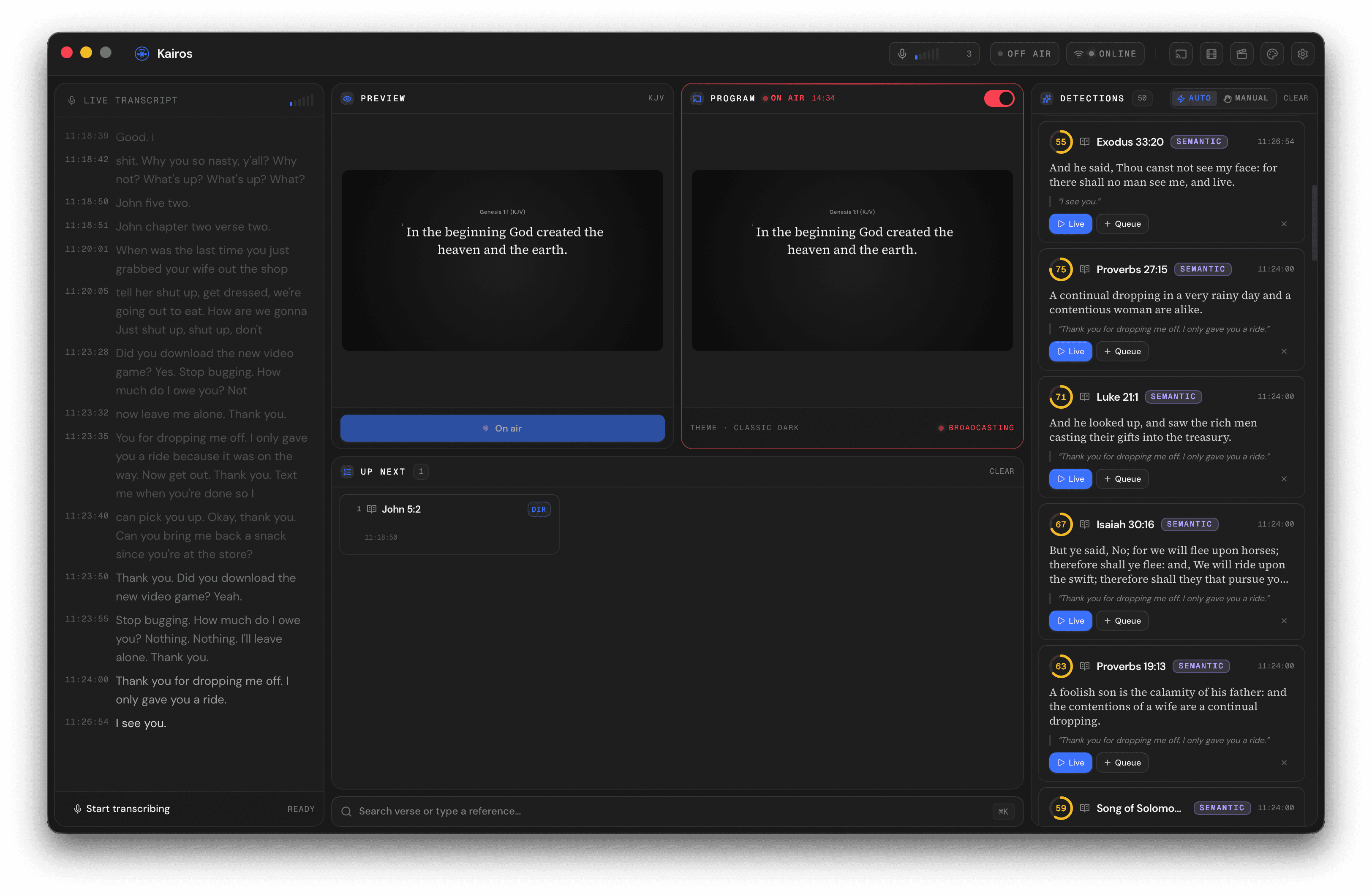
The Kairos dashboard during a service: live transcript on the left, detected verses in the centre column, and the verse queue plus broadcast preview on the right. Click to expand.
What Kairos does
- Listens to your live sermon audio.
- Catches every reference: whether it's cited by name ("First Corinthians 13:4") or quoted in passing ("the just shall live by faith").
- Renders the verse in any of ten bundled Bible translations across English, Spanish, French, and Portuguese.
- Sends it to broadcast as an NDI source any modern switcher can consume.
- Follows your operator: Stream Deck, TouchOSC, or any controller in your booth.
Who Kairos is for
Built for the operator in the booth on a Sunday morning. If you run live production at a church, small enough to be a volunteer with a laptop or large enough to need a dedicated graphics machine, Kairos is built around the way you actually work during a service.
How to read these docs
The fastest path to a working install is:
- Install on macOS or Install on Windows.
- Walk through your first service.
- Once you're broadcasting, read Verse detection to understand how Kairos catches references, and Broadcast output to wire it into your switcher.
Need help?
If you get stuck, troubleshooting covers the most common issues, and the FAQ answers questions we hear often. Anything not covered there, email the maintainer.